Showing posts with label Templates. Show all posts

Thursday, 16 April 2009

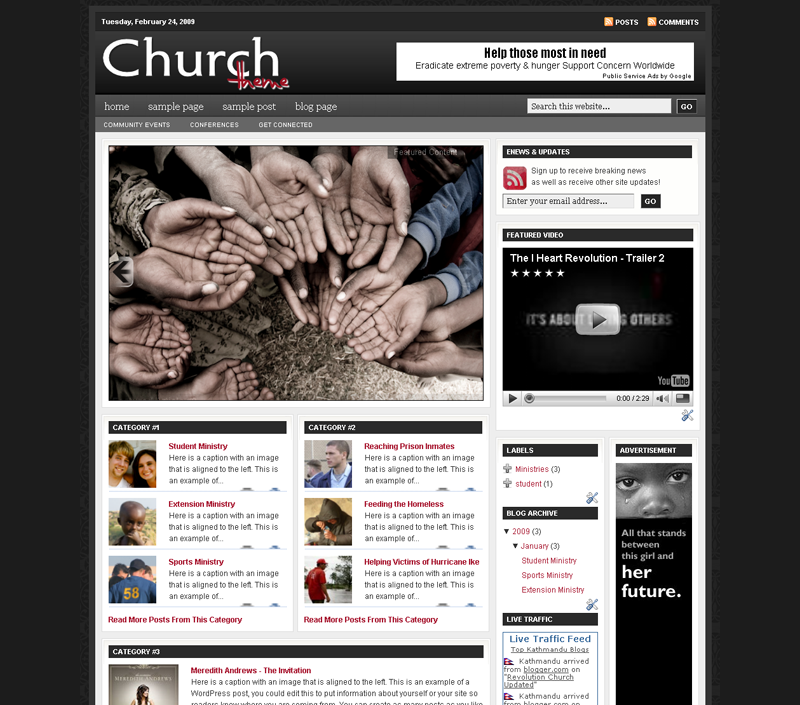
Free Revolution 2 Church Blogger Template V1 & V2

1 comments

Revolution Church was one of the successful Wordpress Converted Blogger Template of Bloganol which is able to gain more than 2000 download from Bloganol and thousands from other linked sites.Although it was good but it has also got some drawbacks which must be maintained.So to overcome with these problems we have updated the previous version of Revolution Church Blogger Template.
These Updated versions are able to overcome some of the drawbacks of the previous versions and also has got more features than the previous versions which tries to give the Template the real look of original wordpress theme.

Updated Version simple V1


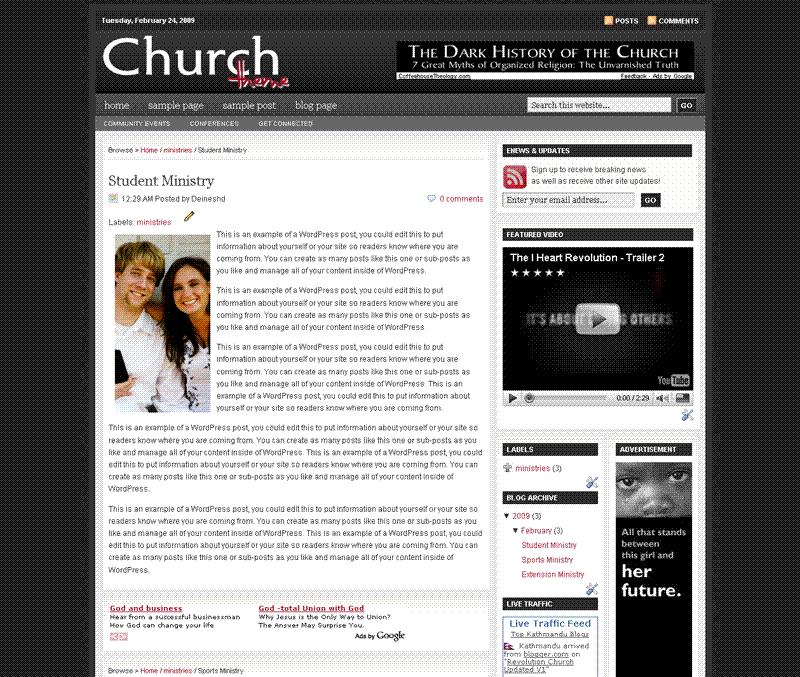
Updated version Advance V2


(Source: Bloganol dot Com)

Tuesday, 14 April 2009

Ads Theme 3 columns Blogger Template

1 comments


If you’re looking for a new Blogger template, you came at the right time. Hands down, this is the best template we’ve converted here at eBlog Templates. It’s a wonderful web 2.0 popular blog layout with some great built in ad spots (hence the template name) and features.
It’s either a two or 3 column template (you can change it on the fly) so you get the best of both worlds. This Blogger template is what I call a “powerhouse” template since almost all the features you need are already built in. On top of that, it’s quite easy to setup and makes your blog look like a professional site without much effort.
I predict this template will be a top template on this site within a few months, if not weeks. With the amount of effort that went into converting this template and attention to details, I sure hope you appreciate this free amazing new xml Blogger/Blogspot template.
Features Include
Two or Three right side columns which are easy to switch (default is three)
Three great location ad spots (header banner 468 x 60, three 125 x 125 buttons in sidebar, and a 468 x 60 AdSense banner above the first post)
Integrated Feedburner rss and subscribe via email sidebar module (also includes “add to favorites” Technorati link)
Built-in live traffic feed widget from FEEDJIT
Built-in MyBlogLog and BlogCatalog recent reader widgets
Dynamic tabs easily created by editing the link list widget
Search box without the need for a “go” button
Recent posts and comments widgets
Nicely designed individual blog post comments section
Properly setup Blogger layout editor
You can see from this screenshot that the actual editor is nicely setup so you don’t need to scroll or try and figure out how to click on the “edit” widget links. Most templates that you download make it tough to edit — not this one!

This template does require some configuration in order to get it working as designed. Please follow the steps below if you’d like it to work properly. I also recommend backing up your existing template before changing just in case you run into any problems. You could also setup a new Blogger blog as a test area and try installing it there first.
Top Tabs Setup
When you first install this template the top tabs will not be visible which is normal. You’ll need to go into the Blogger page element layout editor and edit the “Top Tabs” widget. It’s a link list so just add whatever tabs you want. Don’t add a “Home” tab since it will automatically appear once you create and save the tab widget.
Header Ad Banner
The default banner is hardcoded into the template but will disappear when you add anything to this widget. It’s an HTML widget so you can put the banner ad code straight into this box. This widget can also be deleted if you don’t have a 468 x 60 and you’ll just be left with the black header. Here’s the default ad code if you want to use it as a model.

Download now

Download Langit Blogger Template

0 comments


Langit is the latest and coolest “make money” blog template to hit the scene here at eBlog Templates. It’s a very modern, web 2.0, 3 column, black and blue template with a ton of features including some never before used in a Blogger template! We really try to push the limits with our latest and greatest templates and know you’re going to love this one.
This template will work right out of the box but in order to personalize it just for you, it’s going to take some work. You’ll need to edit the template code which is usually for more experienced Blogger users but anyone is welcome to try of course. The difficulty level is a 9/10 so be prepared to sit down and spend some time setting this template up.
Features Include:Several different types of highly optimized “Make Money” ad spots Built-in FeedBurner rss and subscribe via email area Top box displaying your 10 most recent posts (yes I said 10) Calendar style date on each individual post Header banner rotator Dynamic top tabs so you can easily add them Custom comments section Live website traffic widget from FeedIt And much more… This is the first ever Blogger template that includes a very cool header banner rotator so you can randomly display several different banners in one spot! View the demo and try reloading the page a couple times to see it in action. There are four different banners sharing that spot.
Here’s a quick screenshot of how the comments section looks on this template. It’s very unique and not your boring Blogger-style look which makes the Langit template so special.

Download now

Download Blogging Pro Blogger Template

1 comments

If you’re looking for a great make money online Blogger template then I’ve got news for you. Blogging Pro is the latest and greatest web 2.0 template built just for that. This is another exciting cutting-edge Blogger template that we’re giving away for free and all we ask of you is to keep the footer links intact.
You might see some other conversions of this template out there but I promise you’ll find ours to be top-notch and feature-rich. Check out our live Blogging Pro for Blogger demo to see and interact with the template before you even download it!
This template was originally designed for WordPress by Design Disease and converted to WordPress by Blogging Pro. We loved this template but were disappointed we couldn’t find a good conversion for Blogger users so guess what? We converted it to Blogger ourselves!
It’s a rounded corners, web 2.0, three column, orange and shaded blue beauty with some great features and widgets you’d normally only find with a WordPress theme. Here’s a list of what’s included:
Dynamic header tab creation
Prime location AdSense header ad space
Multiple rss feed subscription options ready to go (Blogger rss, Technorati, and Feedburner)
Custom individual post date display
Addthis bookmark and sharing individual post widget
Custom comments image display
Three column footer with your recent posts, recent comments, and recommended money maker links
Amazon deal of the day dynamic widget
Clean and organized template layout editor screen
You can see from this screenshot that the actual editor is nicely setup so you don’t need to scroll or try and figure out how to click on the “edit” widget links. Most templates that you download make it tough to edit — not this one!
Now before you can get fully up and running with this new Blogger template, you’ll need to properly set things up. Please follow the steps below and read items carefully. The same questions are usually asked over and over by people posting comments, yet the answers are usually right in front of them. This is especially true for why the post date might not be working on your blog.Let’s start from the top of the template and work our way down each item. Don’t be too surprised when the template doesn’t look like the screenshot when you first load it up. You’ve got some configuring to do first!
Top Tabs Setup
This is actually pretty easy since the top tabs are a link list. You don’t need to alter the template code. Just go into your Blogger page layout and click on the “edit” of the “top tabs” widget. Start adding new links and then save. A “home” link will automatically appear once you setup this widget so you won’t need to add one. Save and refresh your blog to see the pretty new tabs you just created. Here’s what it should look like.

Thursday, 21 August 2008

Girly web 2.0 Blogger Template (3 columns)

0 comments
Here’s a cute girly template designed and built by our friend Amanda over at Blogger Buster. She’s done a really nice job adding all the great web 2.0 features including the very so popular three column footer.
This Girly Web 2.0 style template is designed for Blogger and is completely widget ready.
Despite the simple, clean layout, this template has many advanced features including:
Integrated blog search form Web 2.0 style logo Navigation bar (which can be customized to suit your needs) Calendar widget Unique wide sidebar layout, featuring a combination of wide and dual narrow columns Three widgets available in the footer section Unique post footer sections, which include a “What next” section for email post links, social bookmarking and “add a comment” Related posts section also in post footer, to link to posts of the same label Author comment highlighting on post pages Rounded corners achieved by CSS instead of images eBlog Templates has copied the images over to it’s dedicated Photobucket hosting platform and also enhanced the template a bit. We changed the cool calendar feature so that the calendar image appears on every single post instead of just the current day! Also all the javascript is embedded in the template so no external links are present which means your template won’t break in the future.
In order to get the date to properly work you need to make one small change. Go to your “Settings” => “Formatting” => and change your Timestamp Format to “Monday, March 31st, 2008″. Make sure you change the correct date setting before you start asking why it doesn’t work. 9 times out of 10 it’s because you changed the wrong drop down.
To setup the rest of the features, jump on over to Blogger Buster and read Amanda’s nice description about what needs to be done.
Thanks to Amanda for creating this cool template!
Download now

Wednesday, 20 August 2008

Black and blue Blogger template (3 columns)

0 comments

Black and blue is a three column Blogger template based on the K2Modify template. It comes with your standard sidebar widgets but also has the recent posts and recent comments widgets as well.
The top tabs are hard coded into the template so you need to edit the template code to change them. Feel free to change the template any way you like, but please leave the credit links. I hope you like it.
This template was submitted by Mialicious.

Monday, 18 August 2008

PassionDuo Green Blogger Template (3 columns)

0 comments

Here is the third and final version of our latest make money blogger template first converted here at eBlog Templates. This amazing PassionDuo template for Blogger comes in three colors: red, blue, and now green.
This template includes several popular ad formats for your blog. You get a 468 x 60 banner spot in the header, six 125 x 125 banner spots in the right sidebar, and plenty of other sidebar spots for skyscraper banners.
We’ve also included our popular sidebar widgets such as Recent Posts, Recent Comments, and the cool Feedjit (real time visitor widget). Just paste in your blog rss feed urls into the Recent Posts & Comments widgets and they’ll start working.
Unlike most other custom make money blogger templates, we’ve taken the extra step and setup the “Fonts & Colors” functionality. That means you can change all the colors and font styles easily by just using the built in Blogger section. We’ve also customized the comments section so it looks very professional as well.
PassionDuo also includes top tabs which can be added via your Blogger page element screen. The rss feed icon will automatically appear once you add your first tab so don’t be alarmed after you first install it.
Configuring the rest of this template is actually quite easy. You can swap out the ads and replace them with your own or feel free to keep the existing ones if you don’t have any to use. Make sure you check the “Expand Widget Templates” checkbox on the “Edit HTML” page within Blogger before trying to make any edits. Also make sure to backup your old template just in case you make a mistake.
Let’s start with the 468 x 60 header banner. Search for “” in the template code and the first one you come across is where you replace the ad.
The second instance of “” is for the Google AdSense code which you can either keep, replace, or just remove completely.
For the six 125 x 125 banner ads you’ll need to find “” and update those one by one. Make sure not to delete the
  • and
  • before and after each ad otherwise it will look funny. If you don’t already have ads to use, I recommend clicking through each banner and become an affiliate. Then you can replace the affiliate codes with your own and start making money!
    The theme was created for Daily Blog Tips by DesignSaurus as a WordPress theme. eBlog Templates converted this theme into Blogger which you can download for free once you register.

    Saturday, 16 August 2008

    Andreas Viklund Blogger Template (3 columns)

    0 comments

    Here’s an oldie but goodie template that was requested by several people. It’s the 4th template in the “Andreas” series and it’s a simple 3 column gem. It’s perfect for a blog that doesn’t want to be too flashy yet needs the flexibility to have many widgets in the sidebar.
    This template is entirely made up of zero images (well, actually just one for the quotes) so it loads really fast. You also don’t have to worry about your images disappearing since they aren’t hosted anywhere.
    Features Include:
    Two right sidebars for all your widgets
    Dynamic tab creation using the link list widget
    Built in link unit AdSense above the first post
    Ability to alter the colors using Blogger’s “fonts & colors”
    A cool FeedIt live traffic widget
    Recent comments and posts widgets
    The template was originally created for WordPress by Andreas Viklund and then ported over to Classic Blogger by Gecko & Fly. BlogCrowds then converted it into new Blogger xml and eBlog Templates enhanced it. Quite a bit of history which shows it’s a template that’s still in demand today.

    Frozen Age Blogger Template (2 columns)

    0 comments

    This template gets it’s chilly name from the snow covered mountain header image. It’s a nice looking new Blogger template with two columns and several sidebar widgets already built in. You get the recent comments and recent posts widget (you’ll need to enter your blog feeds in order to make it work).
    It also comes installed with header tabs which need to be setup within your Blogger template layout screen. Please note, the search box will NOT be aligned properly when you first load up this template. Once you add at least one new top tab via the link list, everything will show up properly. Please don’t post a comment below telling us that the template is broken.
    The header image can also be changed but you’ll need to edit the template code. Whatever new image you decide to use, make sure the corners are rounded otherwise it won’t match the existing layout and design. You’ll need some photo editing experience to do this. The image file img04.jpg is 960px x 147px.
    This template was originally designed by Free CSS Templates and then ported over to Blogger by Template Go Down. eBlog Templates then took the template one step further and enhanced it with easy to setup header tabs, extra sidebar widgets, and a clean template layout interface.

    Friday, 15 August 2008

    Big City Girl Blogger Template (3 columns)

    0 comments

    This template reminds me of the HBO show, “Sex and the City”. It’s girly pink and night black which is a perfect look for a New York or any city girl. The header has a cartoonish pink city image while the rest of the template is pretty much black.
    There’s room for lots of widgets so you can put ads or whatever cool widget suits your needs. This new Blogger template was submitted by Mialicious.
    Revision History
    Update: 3/26/08 - Added missing individual posts Google AdSense code so now you can insert ads on each post using Blogger.

    Thursday, 14 August 2008

    Is Simple Blogger Template (3 columns)

    0 comments

    This new addition is a three column red and white Blogger template for those looking for a very simple look. It’s like getting an empty canvas and now it’s your chance to paint it however you want.
    The right sidebars come with your standard widgets as well as some additional custom ones. eBlog Templates has added the cool real time FeedIt traffic widget, a Text Link Ad ad placeholder, and an Google AdSense placeholder which just needs your publisher id entered.
    If you don’t already have an AdSense account, you should sign up for one now for free so you can start making money on your blog.
    There’s also a hardcoded Google AdSense link unit put into the top area above your first post. This is a great spot to get clicks so you should update it with your own publisher id. It’s not a widget so you’ll have to edit the template code and look for the following tag “” and ““. That’s the section you can change.
    You’ll notice that the code looks a little strange. That’s because it needs to be converted in order for Blogger to recognize it. Once you create your new AdSense code you can convert it using our free Ad Code Converter and then paste it into your template.
    Thanks to Blog Mundi for creating this cool three column template!

    Wednesday, 13 August 2008

    iTheme Techno Template (2 columns)

    0 comments

    This is another variation of the popular Mac OS interface design which includes the original really cool drag & drop sidebar feature. It allows you to rearrange the order of your sidebar in a dynamic fun way (check out the demo and try it yourself). It also includes the FeedIt widget which shows real-time live traffic to your site.
    This template also comes with a top AdSense link unit which is a great spot to make money with your blog. Make sure you have a Google AdSense account and then you’ll need to modify the template code and replace the AdSense code with your own.
    This XML template was converted by BlackQuanta and was designed and built by Nick La.
    Installation Instructions

    • Upload XML Template file (DO NOT copy and paste the code directly to template editor box)
    • PLEASE DO NOT PREVIEW YOUR BLOG. Go to Layout > Page Element
    • Edit “Top Menu” widget. Add at least one link, for example you can make a link to your blog homepage with “Home” anchor text
    • Edit “Archives” widget. Chose “Flat List” Style and “MM YY” Date Format style, for example “February 2008″
    • Edit “Recent Posts” widget. Change Feed URL to http://YOURBLOGNAME.blogspot.com/feeds/posts/default
    • Edit “Recent Comments” widget. Change Feed URL to http://YOURBLOGNAME.blogspot.com/feeds/comments/default
    • Go to Settings > Formatting, choose Timestamp style: “Wednesday, January 30, 2008″
    • Finish. Preview your blog to see the result

    Download now

    Normal 3 columns Blogger Template

    0 comments

    Calling all dog fans, come get the latest and greatest Blogger Yellow Labrador puppy template! This template is an original from your favorite template site, eBlog Templates. It’s a cute dog loving template with three yellow lab puppies wearing red collars posing outside on the grass.
    The header also includes dynamic tabs so you can easily add new pages or links to your blog. These won’t show up when you initially install this template. You’ll need to go into the template layout mode and edit the “linkbar” link list widget.
    The Blogger template is three columns so there’s plenty of room to add new widgets, ads, or pictures of whatever you want. There’s only one image for this entire template and it’s hosted on our image server. That means you don’t need to separately download any images — just install this new template on your blogspot site and you’ll be sporting the new puppy look!
    This template was originally designed by Elque and enhanced for dog enthusiasts by eBlog Templates.

    Labels


    Copyright © 2009 by Free Blogger Themes. Revolution 2 Church Theme by Brian Gardner. Converted into Blogger Template by Bloganol dot Com